

Role-Based Access Control
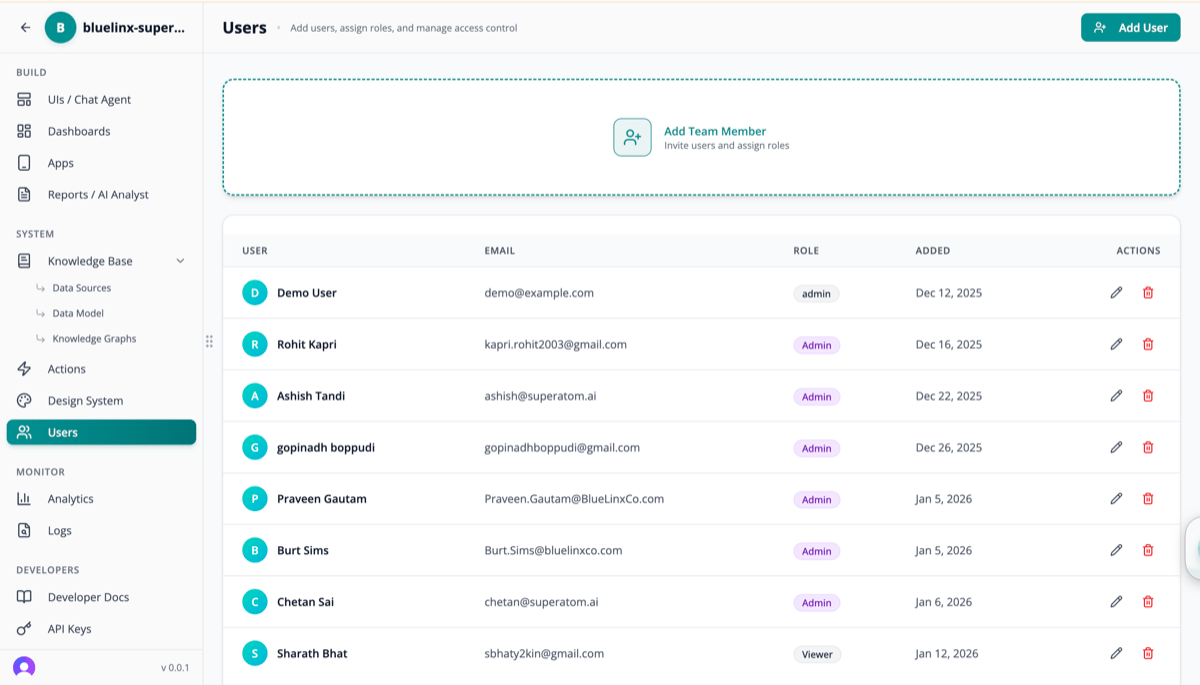
Roles
Permission Levels
Source-Level Access
- Which data sources a user can query
- Finance team accesses financial databases; Operations accesses logistics databases
Table-Level Access
- Which tables within a source are visible
- The salary table is restricted to HR and executives
Column-Level Security
- Hide sensitive columns from specific roles
- Individual salary amounts hidden from non-managers; department averages remain visible
Row-Level Security
- Automatically filter data based on user context
- Regional managers see only their region’s data; business unit heads see only their unit’s metrics
Permission Enforcement
Permissions are enforced at the query planning stage, before any SQL is generated or data is accessed.1
Classify Question
The Main Agent classifies the question and identifies required data concepts (tables, columns, metrics)
2
Check Permissions
The permission engine checks: does this user have access to the required sources, tables, and columns?
3
Apply Row Filters
If permitted, row-level filters are automatically injected into the query based on the user’s context
4
Generate or Restrict
If fully permitted: query is generated and executed with row-level filters applied.
If partially permitted: response is restricted to permitted data, with an explanation of what is restricted.
If not permitted: the system explains what it cannot access.
Enforcement operates on the resolved query plan, not the natural language input. Rephrasing a question does not bypass permissions.
Inference Attack Protection
Aggregation queries over small groups could potentially reveal individual records (e.g., average salary in a one-person department). Superatom applies cardinality checks:- Aggregations are suppressed for groups below a configurable minimum record count (default: 5)
- If a query would produce an aggregation over too few rows, the system either suppresses that group or returns a broader aggregation
Permission Matrix
SSO Integration
Superatom delegates authentication to the customer’s existing identity infrastructure:Supported Identity Providers
- Okta
- Microsoft Azure AD / Entra ID
- OneLogin
- Any SAML 2.0 or OpenID Connect compliant provider
User Deprovisioning
Disabling a user in the identity provider immediately revokes their Superatom access. No separate deprovisioning step is required.Dashboard & Report Sharing
Every dashboard and report has its own sharing controls:
Share with specific users by email, with entire roles, or via public link (optional, for non-sensitive dashboards).
Mobile Access Control
Mobile apps inherit the same permission model:- Role-based views (executives see KPIs, managers see team metrics, field workers see task-specific views)
- Biometric authentication (Face ID, Touch ID, fingerprint) required
- Automatic session timeout
- MDM (Mobile Device Management) compatible
Next Steps
Agent Security Model
How agent isolation protects data access
Action Safety
Approval gates for write-back operations